Interactions
A Smart-ID app can support different interaction types and a relying party can demand a particular interaction with or without a fallback possibility. Different interactions can support different amount of data to display information to user.
Available interactions and possible type value and extra parameter combinations are listed in the following table. Availability depends on the chosen link flow. Linked notification based flow refers to the BASE/v3/signature/notification/linked endpoint. Each interaction is defined by an object that has 2 parameters: type and either displayText60 or displayText200.
| Interaction type & extra parameter | Description | Device link based flows | Notification based flows | Linked notification based flow |
|---|---|---|---|---|
|
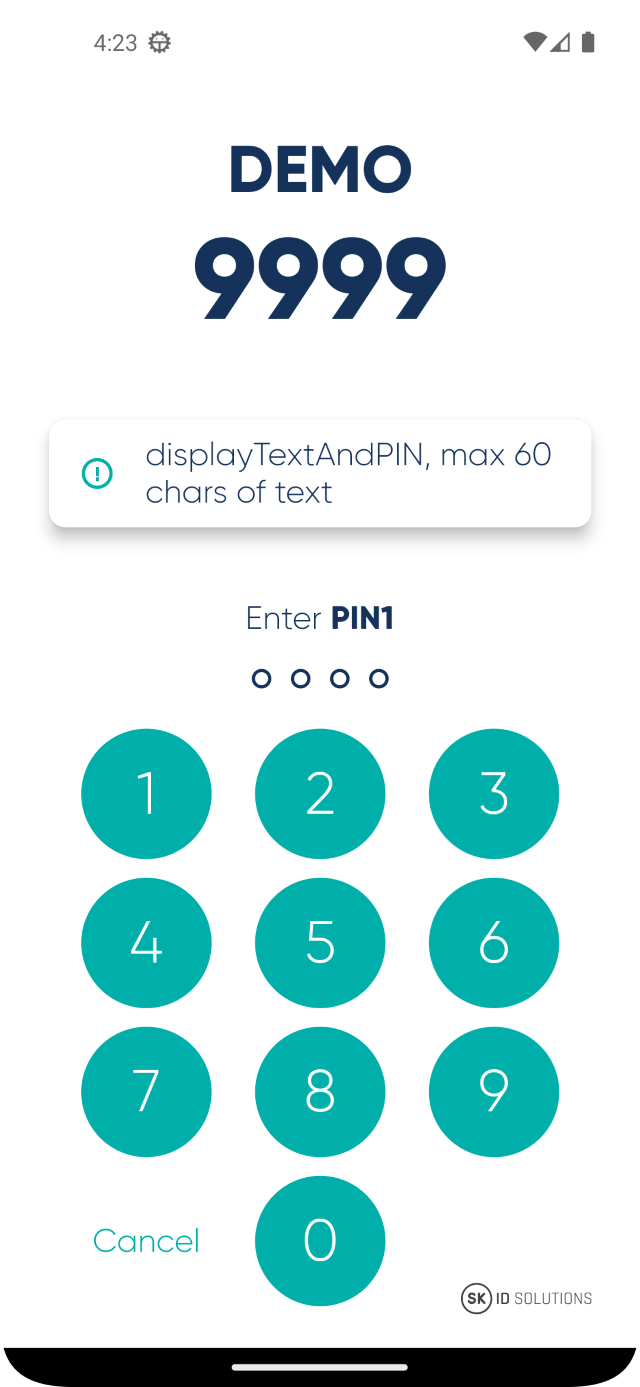
The simplest interaction with max 60 chars of text and PIN entry on a single screen. |
Yes |
Yes |
Yes |
|
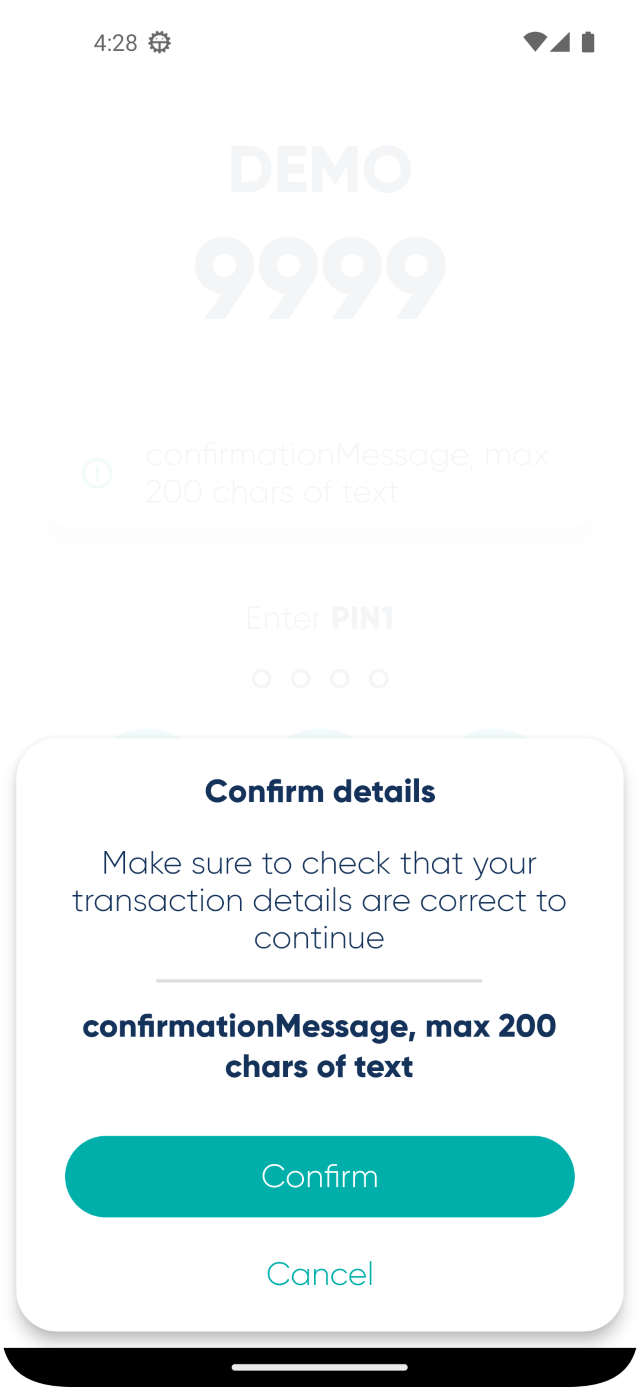
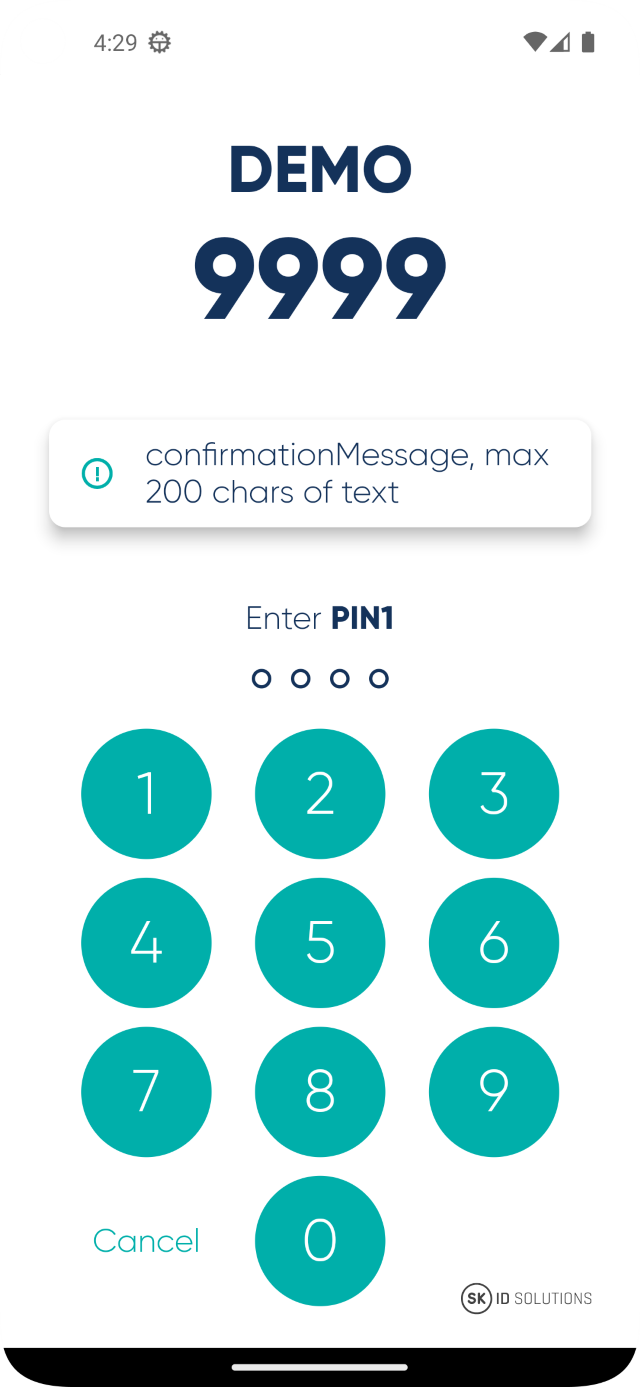
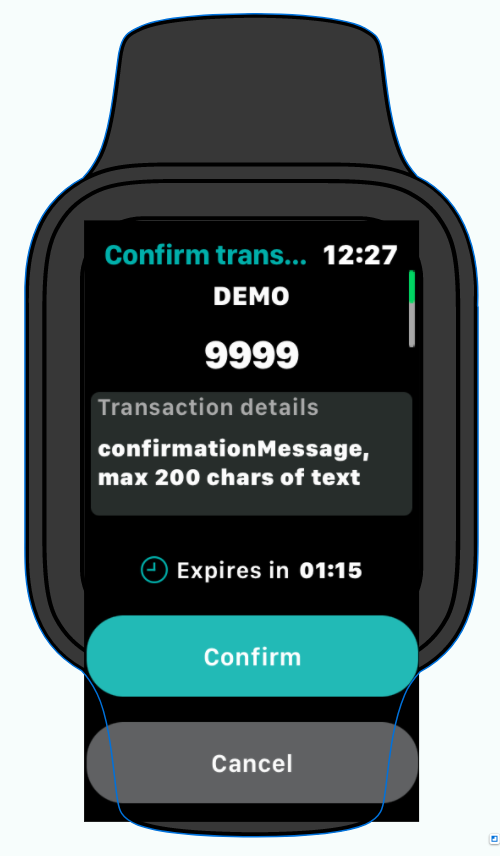
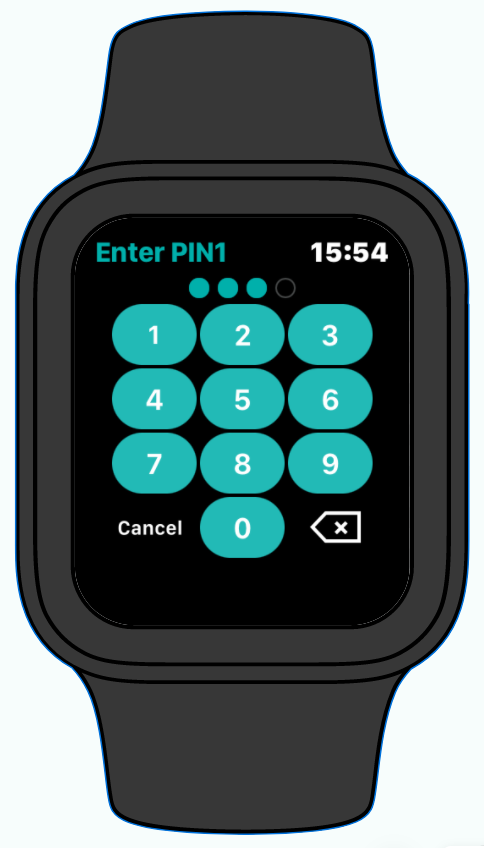
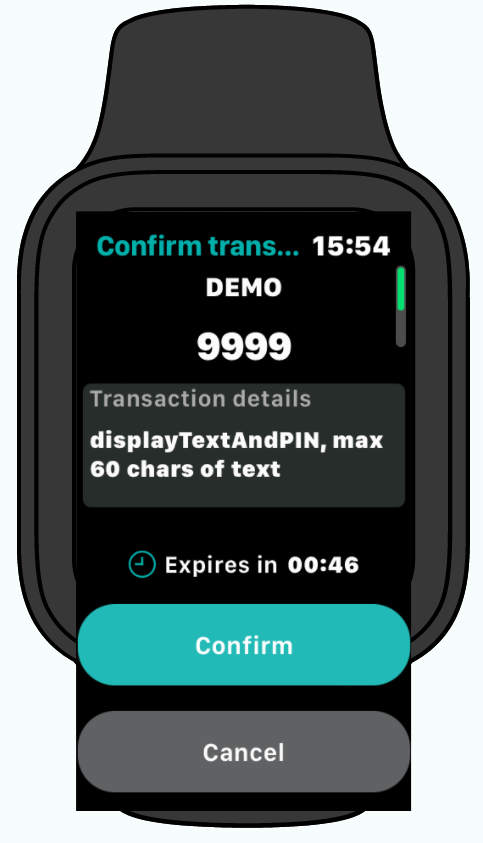
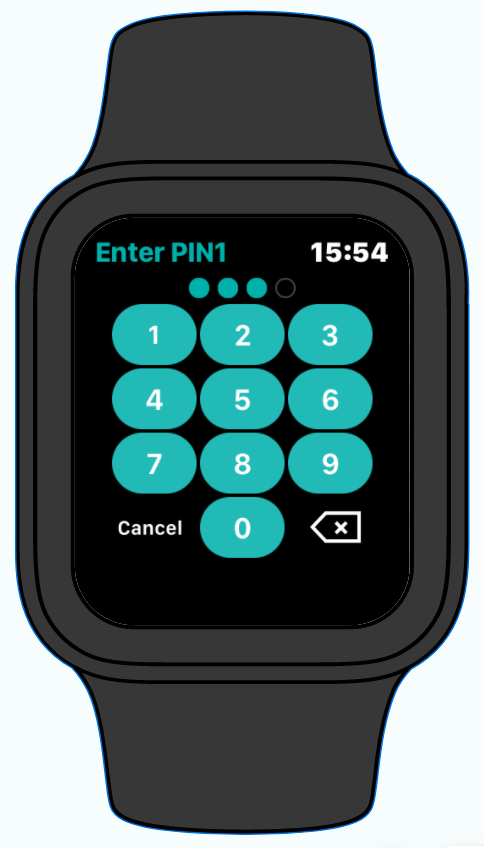
First screen is for text only (max 200 chars) and has Confirm and Cancel buttons. Second screen is for PIN. |
Yes |
Yes |
Yes |
|
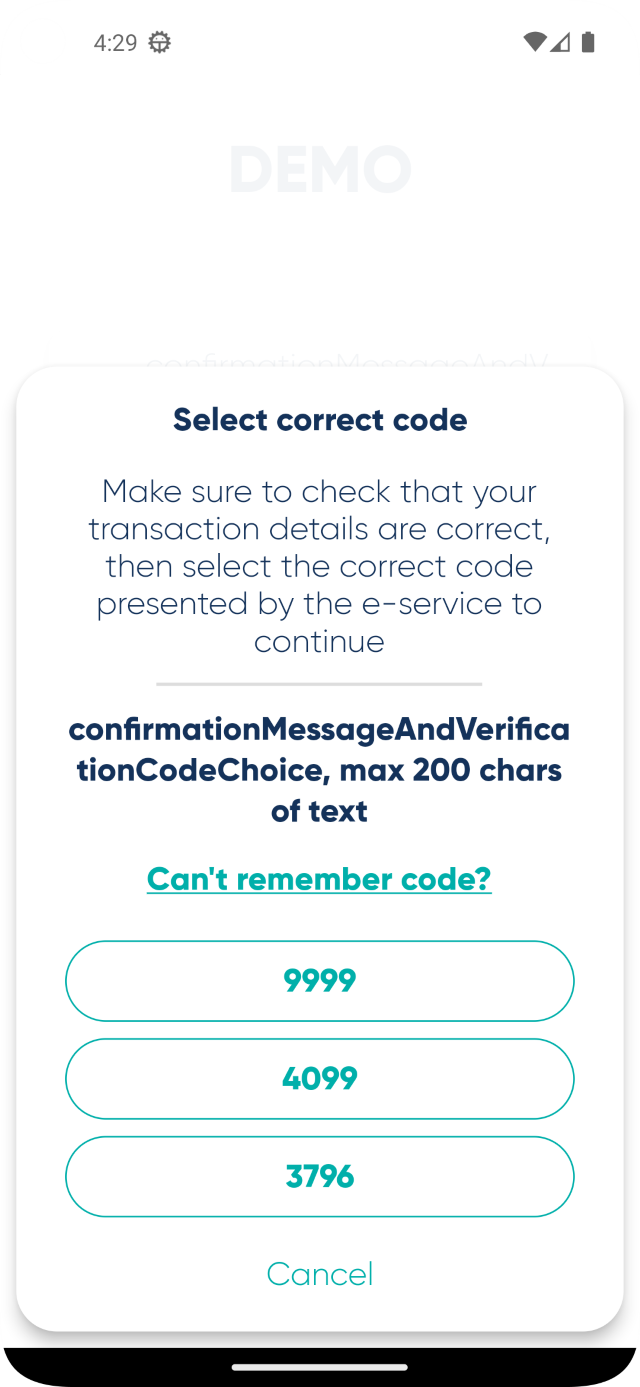
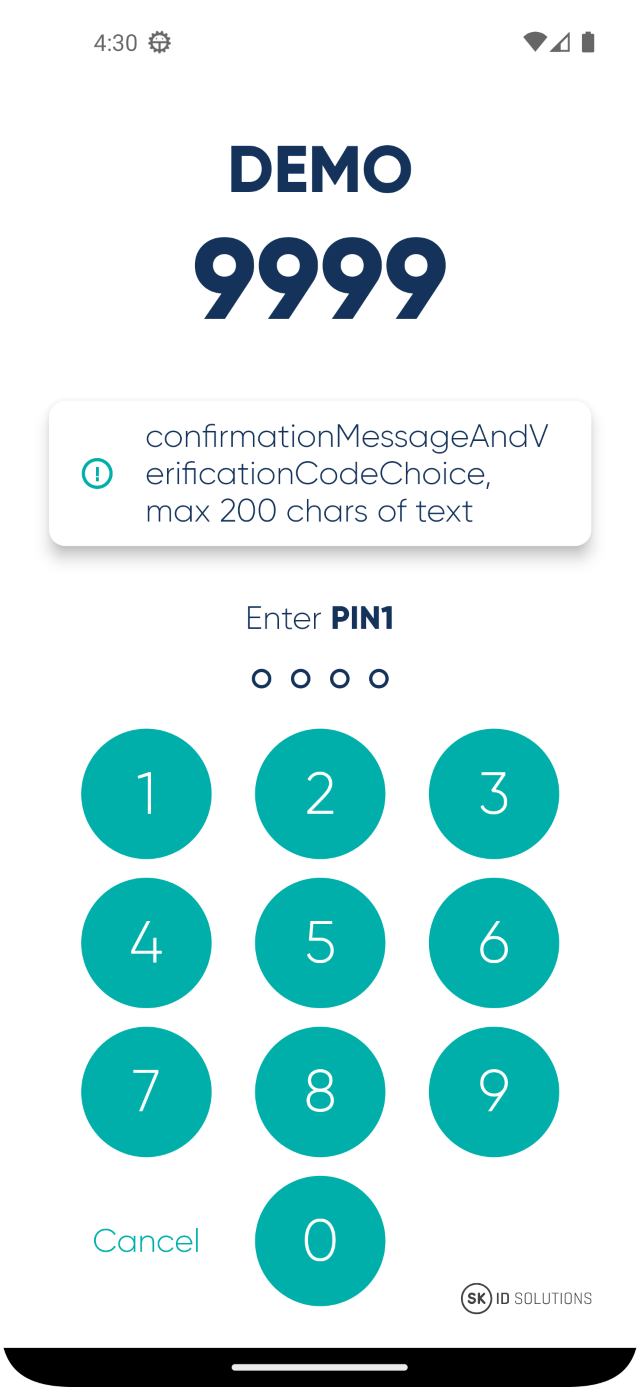
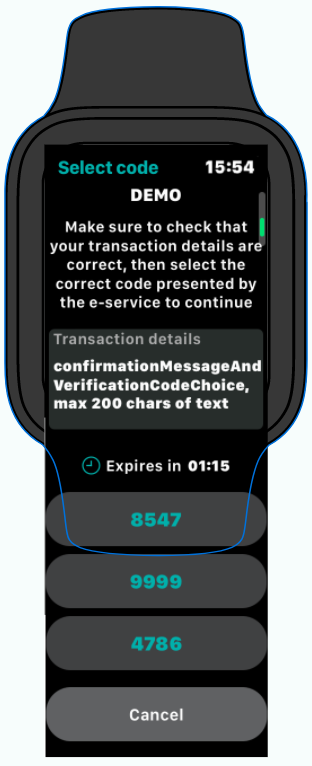
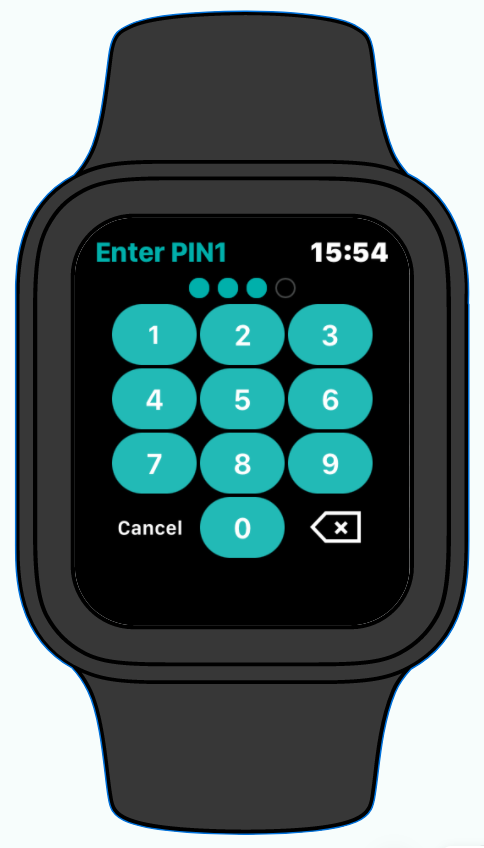
First screen combines text and Verification Code choice. Second screen is for PIN. |
No |
Yes |
No |
Requirements for interactions object
RP uses interactions parameter to list interactions it allows for the current session. The interactions parameter is a JSON array that is Base64 encoded. Not all app versions may support all interactions. The order of the array items are significant as the Smart-ID server is aware of which app installations support which interactions and will send the interactions to the Smart-ID app in the same order as they are in the interactions array.
|
IMPORTANT
The following requirements apply for the
Failing to meet the first 4 requirements above will result in an error (HTTP 400 Bad Request). Failing to follow the last recommendation can result in some dynamic link sessions failing. If |
The interaction that was actually used is reported back to RP with interactionTypeUsed response parameter to the session request. If an app cannot support any interaction requested then the session is cancelled with reason code REQUIRED_INTERACTION_NOT_SUPPORTED_BY_APP.
Guidance for writing display texts
The displayText60 and displayText200 parameters are used by the Smart-ID app to display text on the screen. These parameters must be short and clear. The preferred way of writing displayText60 and displayText200 is to explain the action user is taking. Interaction type must also be considered when writing a good display text.
The following are a few examples of good displayText60 and displayText200:
-
You are logging in to internet bank
-
Log in to mobile banking
-
Sign internet banking contract
-
Sign document Contract.asice
-
Transfer 1000€ to Jane Doe
the RP name is not written explicitly as for all interaction types, the RP name is always displayed to the user together with the display text.
Base64 encoding interactions
Before sending the RP API request, interactions array must be turned into a string and then must be Base64 encoded. interactions should be minified to lower the overhead.
The Base64 encoding can be done as follows:
interactions := BASE64-ENCODE(TO-STRING(MINIFY(interactionsJson)))-
Java
-
PHP
-
Python
-
Go
-
Rust
-
Kotlin
-
C#
-
Node.js
-
Ruby
import java.nio.charset.StandardCharsets;
import java.util.Base64;

public class InteractionsBase64Encode {

  public static void main(String[] args) {
    String interactions = """
[{"type":"confirmationMessage","displayText200":"Longer description of the transaction context"},{"type":"displayTextAndPIN","displayText60":"Short description of the transaction context"}]""";

    String interactionsBase64 = Base64.getEncoder().encodeToString(
      interactions.getBytes(StandardCharsets.UTF_8)
    );

    System.out.println(interactionsBase64);
  }
}
<?php
$interactionsJsonStr = <<<EOD
[{"type":"confirmationMessage","displayText200":"Longer description of the transaction context"},{"type":"displayTextAndPIN","displayText60":"Short description of the transaction context"}]
EOD;
$interactionsBase64 = base64_encode($interactionsJsonStr);
echo $interactionsBase64;
?>import base64
import json
interactions = [{"type":"confirmationMessage","displayText200":"Longer description of the transaction context"},{"type":"displayTextAndPIN","displayText60":"Short description of the transaction context"}]
interactions_string = json.dumps(interactions, separators=(',', ':'))
interactions_base64 = base64.b64encode(interactions_string.encode('utf-8'))
print(interactions_base64)package main
import (
"encoding/base64"
"encoding/json"
"fmt"
)
type Interactions struct {
Type string `json:"type"`
DisplayText200 string `json:"displayText200,omitempty"`
DisplayText60 string `json:"displayText60,omitempty"`
}
func main() {
var interactions []Interactions = []Interactions{{Type: "confirmationMessage", DisplayText200: "Longer description of the transaction context"}, {Type: "displayTextAndPIN", DisplayText60: "Short description of the transaction context"}}
interactionsBytes, err := json.Marshal(interactions)
if err != nil {
fmt.Printf("error: %s\n", err)
return
}
var interactionsBase64 []byte = []byte(base64.StdEncoding.EncodeToString(interactionsBytes))
fmt.Printf("%q\n", interactionsBase64)
}use base64::Engine as _;
use serde::{Deserialize, Serialize};
type Interactions<'a> = Vec<Interaction<'a>>;
#[derive(Debug, Deserialize, Serialize)]
enum DisplayText<'a> {
#[serde(rename = "displayText200")]
DisplayText200(&'a str),
#[serde(rename = "displayText60")]
DisplayText60(&'a str),
}
#[derive(Serialize, Deserialize)]
struct Interaction<'a> {
#[serde(rename = "type")]
type_field: &'a str,
#[serde(flatten)]
display_text: DisplayText<'a>,
}
fn main() {
let interactions: Interactions = vec![Interaction{type_field: "confirmationMessage", display_text: DisplayText::DisplayText200("Longer description of the transaction context")}, Interaction{type_field: "displayTextAndPIN", display_text: DisplayText::DisplayText60("Short description of the transaction context")}];
let interactions_base64: String = base64::engine::general_purpose::STANDARD.encode(serde_json::to_string(&interactions).unwrap().into_bytes());
println!("{:?}", interactions_base64);
}import java.nio.charset.StandardCharsets
import java.util.Base64
fun main() {
val interactions: String = """
[{"type":"confirmationMessage","displayText200":"Longer description of the transaction context"},{"type":"displayTextAndPIN","displayText60":"Short description of the transaction context"}]""".trimIndent()
val interactionsBase64: String = Base64.getEncoder().encodeToString(
interactions.toByteArray(StandardCharsets.UTF_8)
)
println(interactionsBase64)
}using System;
using System.Text;
public class InteractionsBase64Encode
{
public static void Main(string[] args)
{
String interactionsJson = """[{"type":"confirmationMessage","displayText200":"Longer description of the transaction context"},{"type":"displayTextAndPIN","displayText60":"Short description of the transaction context"}]""";
String interactionsBase64 = Convert.ToBase64String(Encoding.UTF8.GetBytes(interactionsJson));
Console.WriteLine(interactionsBase64);
}
}const interactions = [{"type":"confirmationMessage","displayText200":"Longer description of the transaction context"},{"type":"displayTextAndPIN","displayText60":"Short description of the transaction context"}];
const interactionsString = JSON.stringify(interactions);
const interactionsBase64 = Buffer.from(interactionsString).toString('base64');
console.log(interactions_base64);require 'base64'
require 'json'
interactions = [{"type":"confirmationMessage","displayText200":"Longer description of the transaction context"},{"type":"displayTextAndPIN","displayText60":"Short description of the transaction context"}]
interactions_string = JSON.generate(interactions)
interactions_base64 = Base64.strict_encode64(interactions_string)
puts interactions_base64interactions parameterW3sidHlwZSI6ImNvbmZpcm1hdGlvbk1lc3NhZ2UiLCJkaXNwbGF5VGV4dDIwMCI6IkxvbmdlciBkZXNjcmlwdGlvbiBvZiB0aGUgdHJhbnNhY3Rpb24gY29udGV4dCJ9LHsidHlwZSI6ImRpc3BsYXlUZXh0QW5kUElOIiwiZGlzcGxheVRleHQ2MCI6IlNob3J0IGRlc2NyaXB0aW9uIG9mIHRoZSB0cmFuc2FjdGlvbiBjb250ZXh0In1dinteractions elements examples
confirmationMessage only, if not available then fail (device link flow).Before encoding
Base64 encoded
|
|
displayTextAndPIN only, if not available then fail (device link flow).Before encoding
Base64 encoded
|
|
confirmationMessage, if not available then fall back to displayTextAndPIN (device link flow).Before encoding
Base64 encoded
|
|
confirmationMessageAndVerificationCodeChoice only, if not available then fail (notification based flow).Before encoding
Base64 encoded
|
|